

This section explains the procedure for backing up a UNITE project.
◆Procedure
Please follow the following steps to back up a project.
If you are using the Asset Store version:
1. Right-click the relevant project in Unity Hub.
2. Select "Show in Explorer".

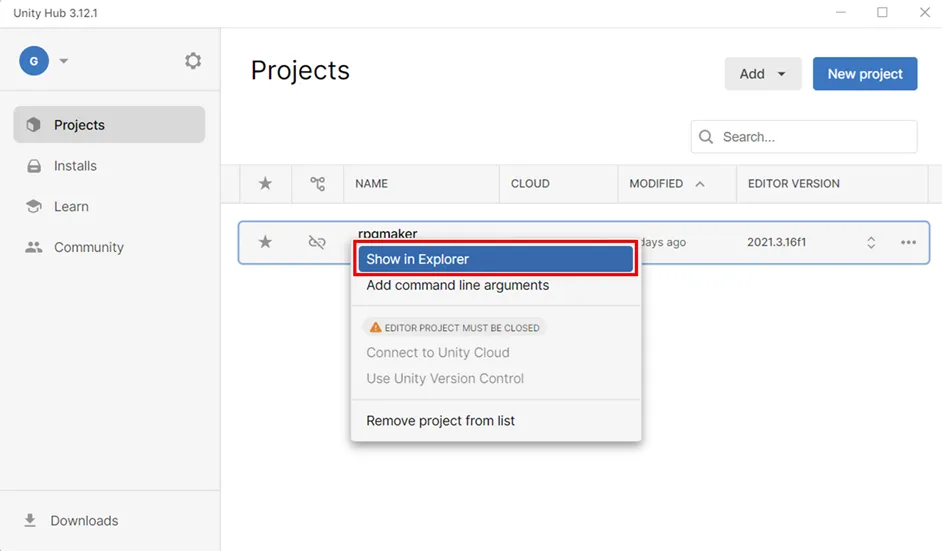
3. When the project folder opens, copy the "Assets" and "ProjectSettings" folders to a location of your choice.
If you are using the Epic Store version:
Please see here.
If the steps above were followed correctly, your project should now be safely backed up.